
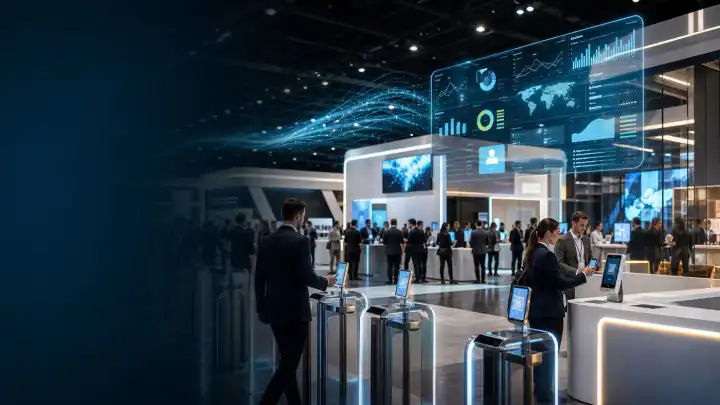
Event and expo automation suite for real venue operations.
A modern replacement for the legacy indexed page: Zlicc connects registration, QR identity, on-site check-in, badge printing, access control, exhibitor lead capture, live engagement and reporting for events and exhibitions.
What an event and expo automation suite should cover
Event and Expo Automation Suite
An event and expo automation suite should control the full operational journey: invites, microsites, QR or RFID identity, check-in, badge printing, access permissions, exhibitor lead capture, audience engagement and analytics. ZliccSync is the backbone, while ZliccPulse, Zlicc AI, ZliccXR and Zlicc Live can extend the experience.
What usually goes wrong without the right event infrastructure.
These pages are built for buyer clarity: concrete use cases, real operational language and direct paths into Zlicc's six-pillar system.
Queue risk
Registration and badge counters need speed, exception handling and live visibility.
Access confusion
VIPs, exhibitors, delegates, staff and sponsors often need different permissions.
Booth blind spots
Exhibitors need structured lead capture and product-interest data.
Weak reporting
Organizers need attendee, booth, session and engagement data in one story.
Capabilities that can be combined around the event brief.
Zlicc scopes the modules around the room, audience, risk points and commercial outcome rather than forcing every project into the same package.
Event pages, forms, confirmations, QR passes and reminder journeys.
QR lookup, on-site badge printing, counters, exception desk and staff flows.
Zone, session, F&B, goodie, VIP and entitlement scanning logic.
Booth QR scans, notes, product tags, exhibitor portals and exports.
Polls, quizzes, Q&A, reactions, selfie walls and big-screen participation.
Live dashboards, post-event reports, leads, attendance and CRM hand-offs.
Before, during and after the live day.
The point is not only a polished front-end experience. The point is a delivery system that protects the live moment and produces measurable follow-up.
Prepare
Set up microsite, registration logic, badge template, QR/RFID identity and access categories.
Open
Run counters, check-in, badge printing, exception handling and staff scanning.
Engage
Activate booth QR, live participation, product content and audience moments.
Report
Deliver attendance, leads, engagement, booth traffic and final dashboards.
Built from real Zlicc work patterns.
Named proof is used where approved. Other tiles are framed by industry or engagement type to preserve confidentiality while staying concrete.
Enterprise exhibitions
Registration, badge printing, booth intelligence, lead capture and dashboards.
NPCI AI Summit
Interactive booth, fraud-model showcase, live transaction map and touch game.
Trade shows
Visitor identity, exhibitor capture, access flows and organizer reporting.
Questions buyers ask
Short, direct answers for search engines, AI assistants and enterprise buyers evaluating Zlicc.
What replaced the old event and expo automation page?
The modern Zlicc page for event and expo automation is this page, which explains registration, badge printing, access, engagement, lead capture and analytics together.
Does Zlicc support exhibitions?
Yes. Zlicc supports exhibitions with registration, badge printing, access, exhibitor lead capture, booth engagement and live dashboards.
Can Zlicc handle QR check-in?
Yes. Zlicc can use QR identity for registration, check-in, access control, booth scans and engagement journeys.
Can exhibitors get lead reports?
Yes. Exhibitor lead capture can include visitor scans, product-interest tags, notes and exportable reports.
Can the same system support audience engagement?
Yes. ZliccPulse can be connected to the operational identity layer for polls, quizzes, Q&A, selfie walls and live reactions.
How do we brief Zlicc for an expo?
Share the expo format, visitor scale, badge needs, exhibitor requirements, access zones, timeline and reporting expectations.
Tell us the room, the audience and the outcome. Zlicc will shape the practical starting point.
Have a brief forming around this?
Share the essentials. This page-level form carries the page context and any campaign tags into the sales email, so the first response starts in the right place.
- Page source captured
- UTM carried through
- Sales routed